Walk the room.Evidens handles the rest.
Everything can be done on your phone. Done in under an hour.
- Under 1 hour
- First report done
- First report free
- No card needed
- iOS, Android & Web
- Native apps and a web app
Everything you need, nothing you don't
Built for owners, agents, and tenants. Capture on your phone, and use the web app when you want a bigger screen.
Set up once. Inspect in order. Every time.
An agent or owner registers a property once, defining every room in the right order. During inspection, the app guides the user through each room in sequence, capturing the condition of everything inside, until the last room is done. No skipped rooms, no improvising on-site.
- Rooms defined and ordered before inspection
- Guided room-by-room inspection flow
- Capture condition of everything in each room
- Nothing is missed. The app knows what comes next.
Photo capture
Take a photo of each item or area as you walk the room. Native camera, instant capture, no switching apps.
Photo annotation
Circle the problem area directly on the photo. Scratches, stains, damage. Mark exactly what matters so nothing is misread later.
Voice or text description
Type a description or record a quick voice memo. Evidens transcribes the recording into text automatically, ready to review.
AI description enhancement
Once you have a description, one tap lets AI refine and polish it into clear, professional report language. Edit the result before moving on.
Move-in / move-out workflow
Move-in: the tenant creates their condition report with the previous one as reference. Move-out: the owner or agent inspects and flags differences against the move-in report. Both end with all parties signing inside the app.
Digital signing
The owner signs directly, or delegates to their agent. Either way, both the owner's side and the tenant sign digitally inside the app. No printing, no scanning, no email chains.
App Preview
See the App in Action
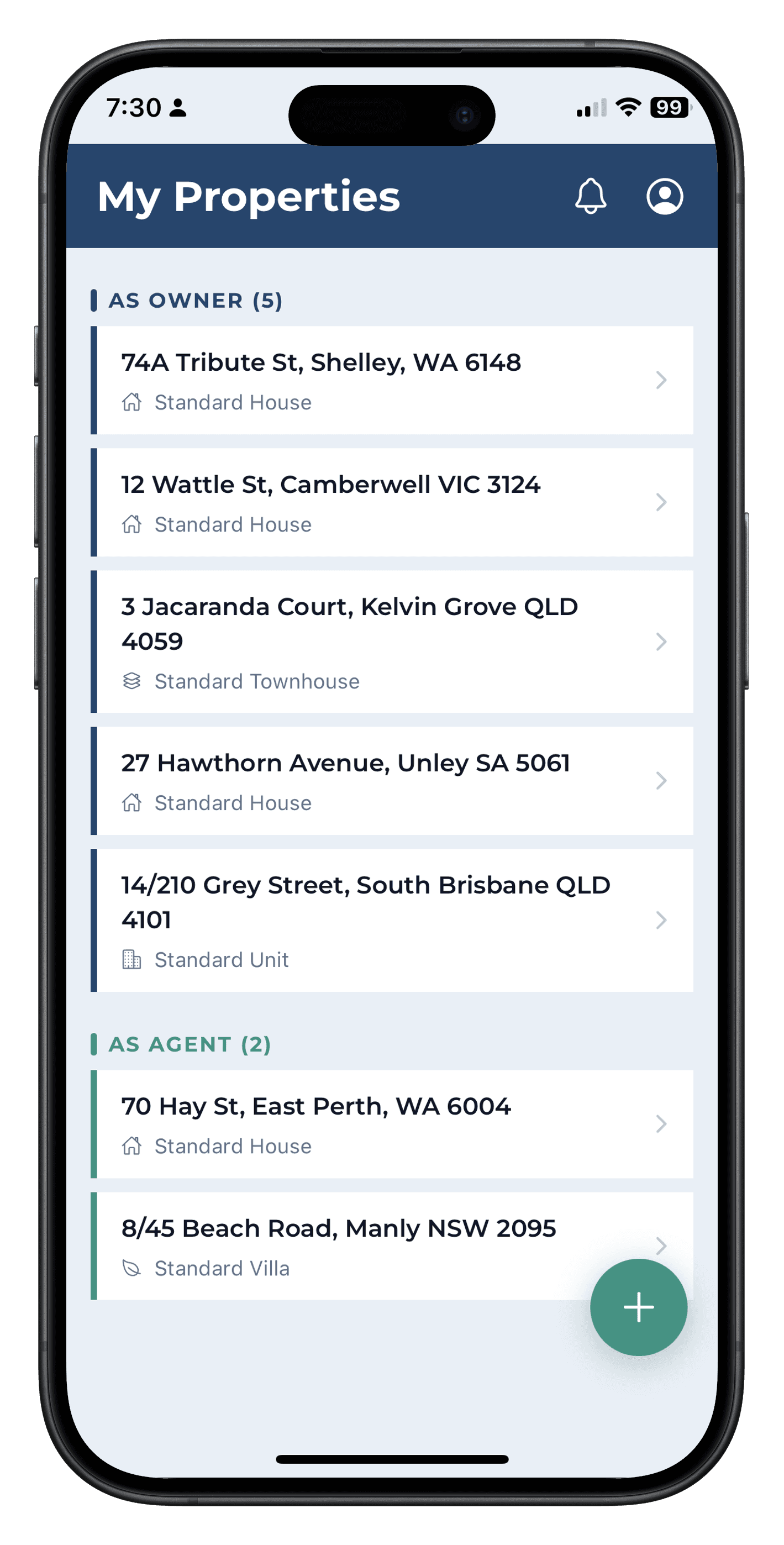
A clean, guided interface built for the property, not the desk.
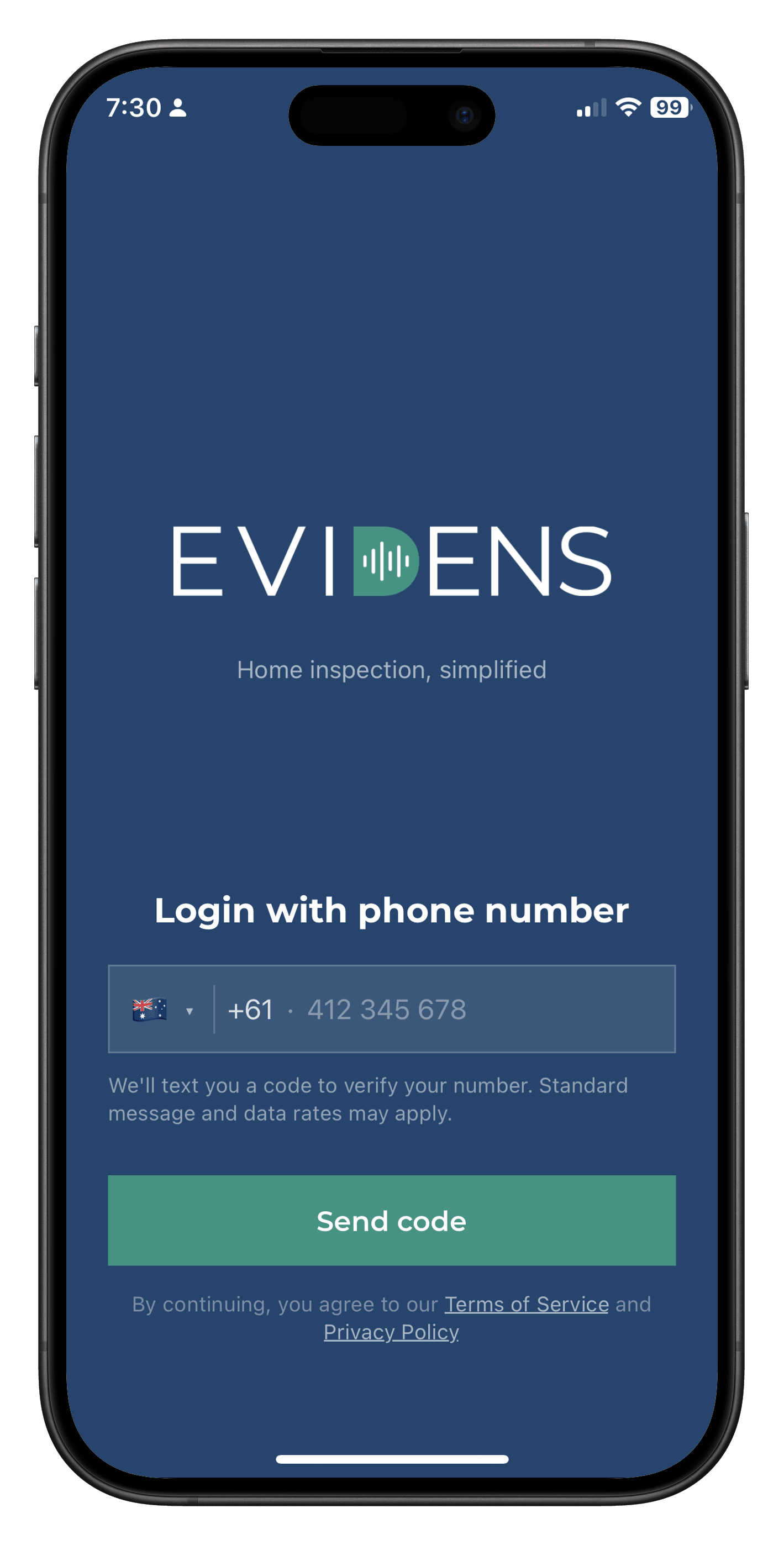
Login
My properties
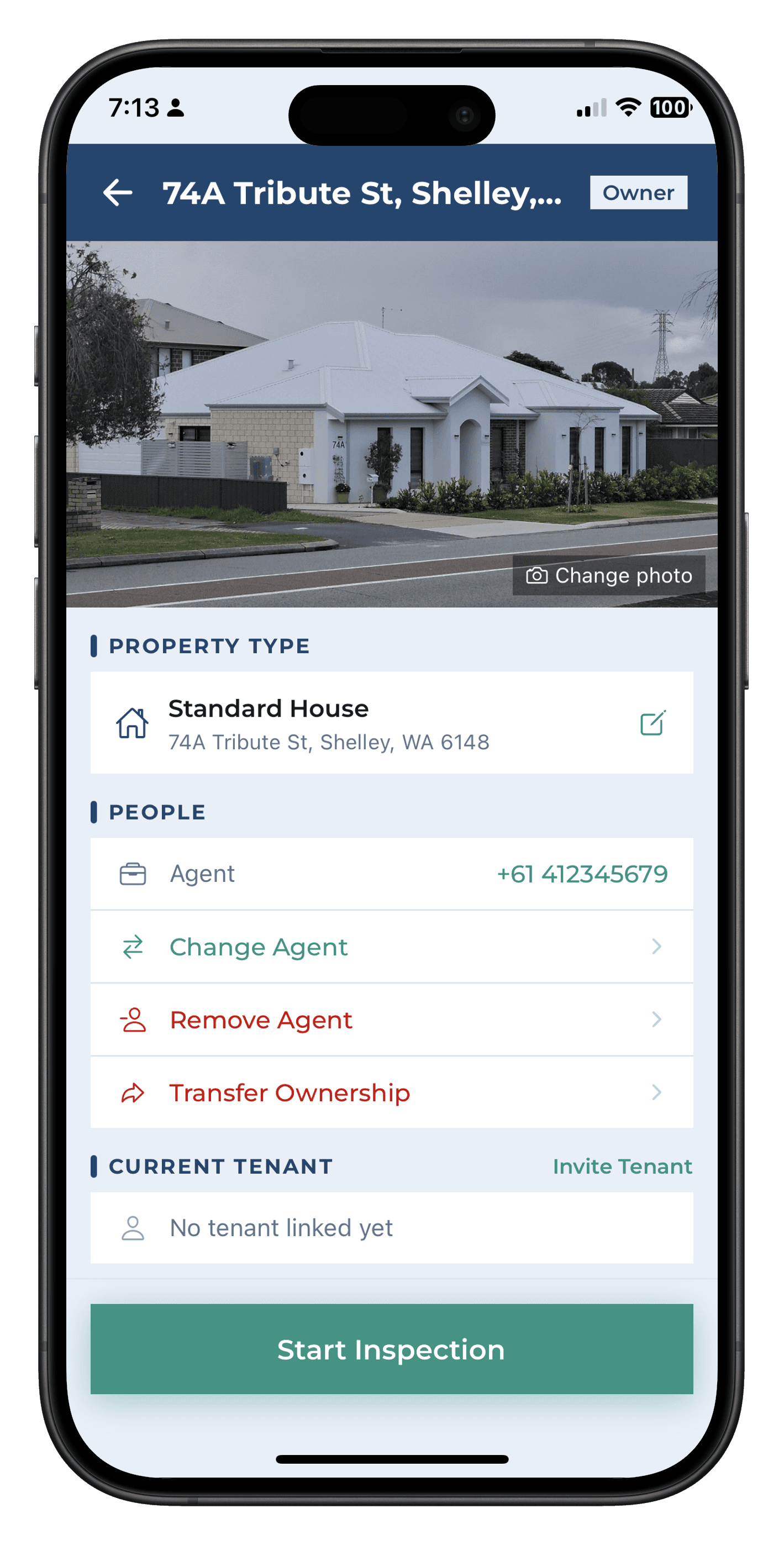
Property details
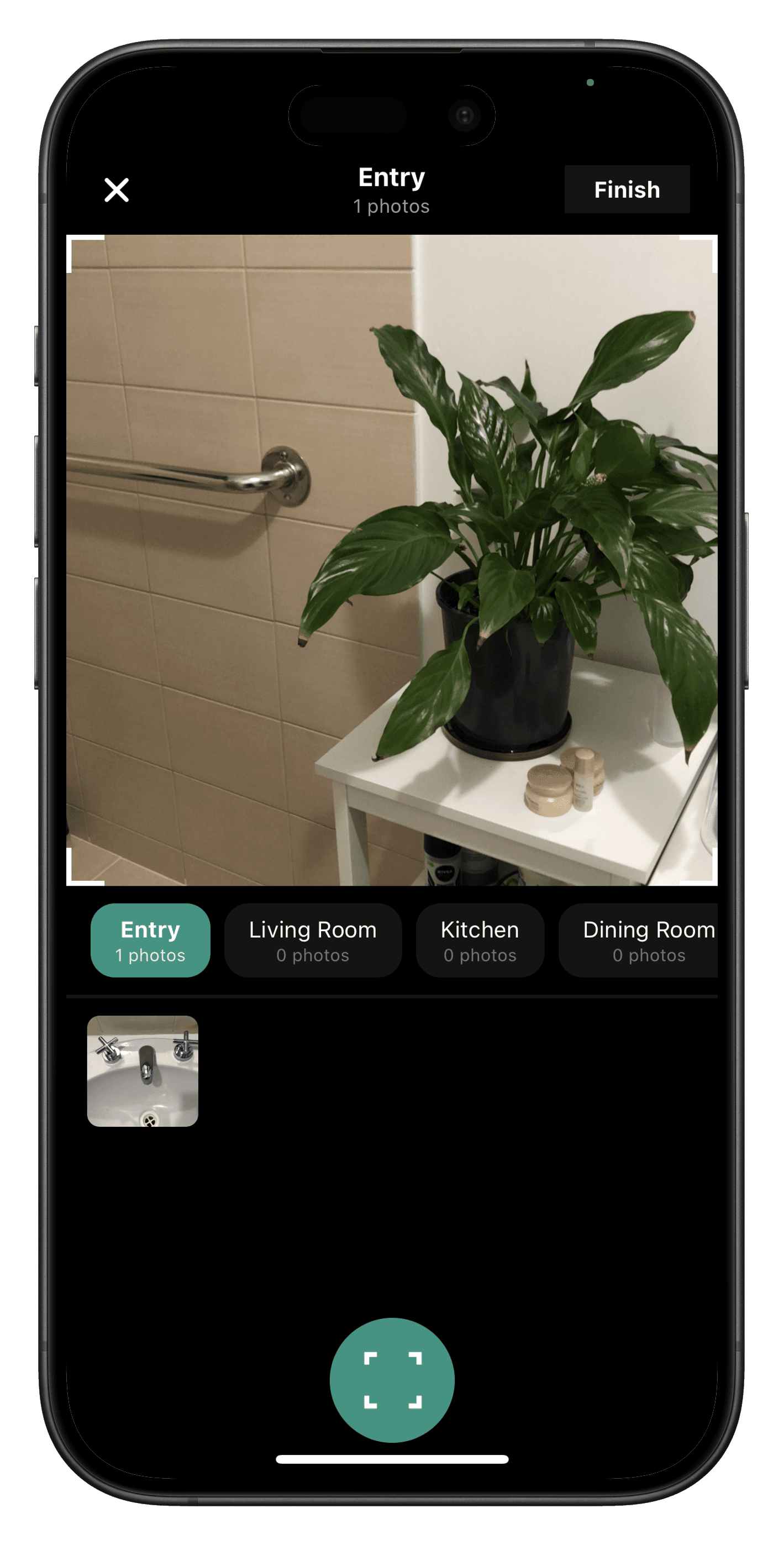
Capture
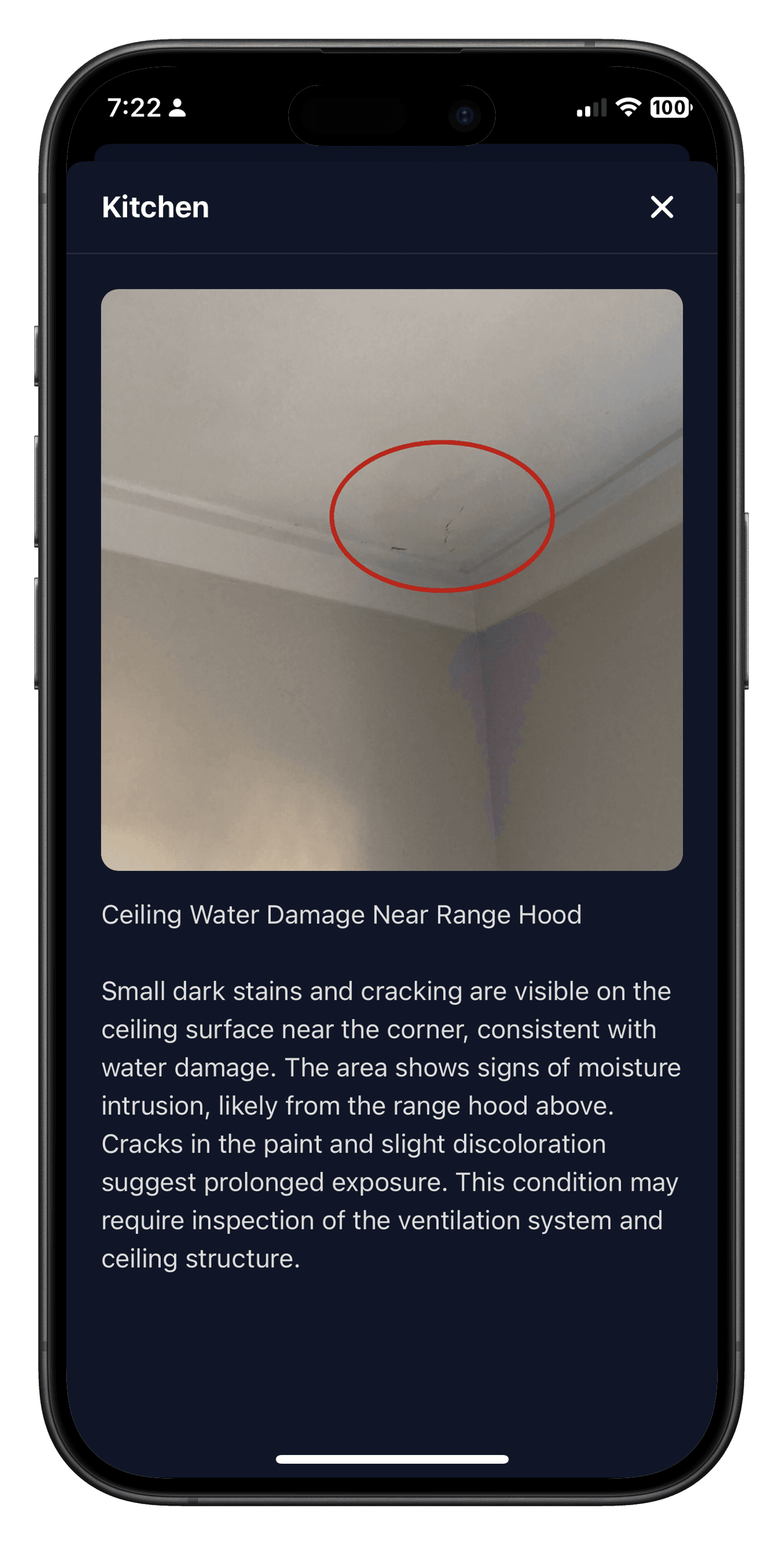
Annotation
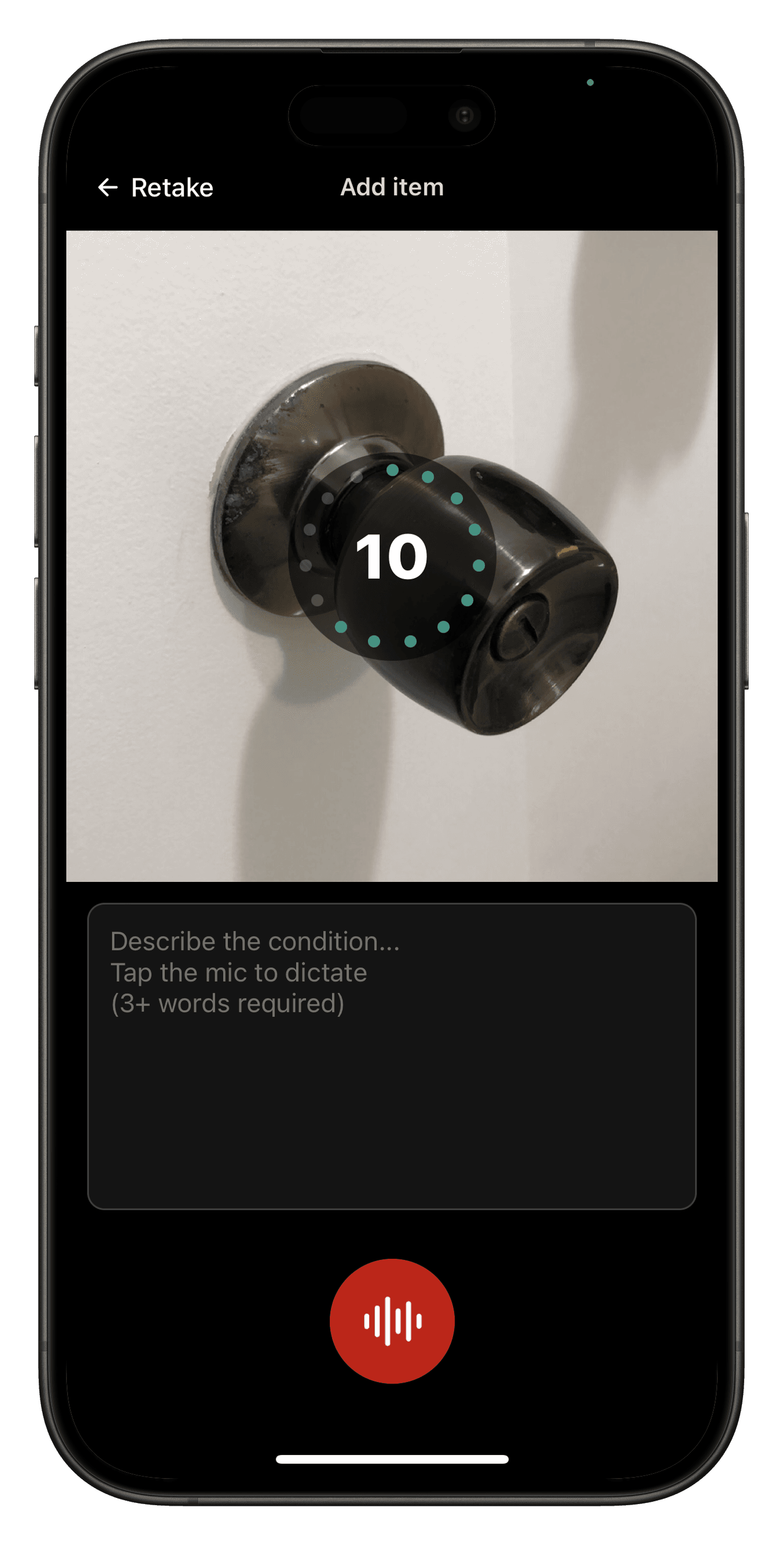
Voice memo
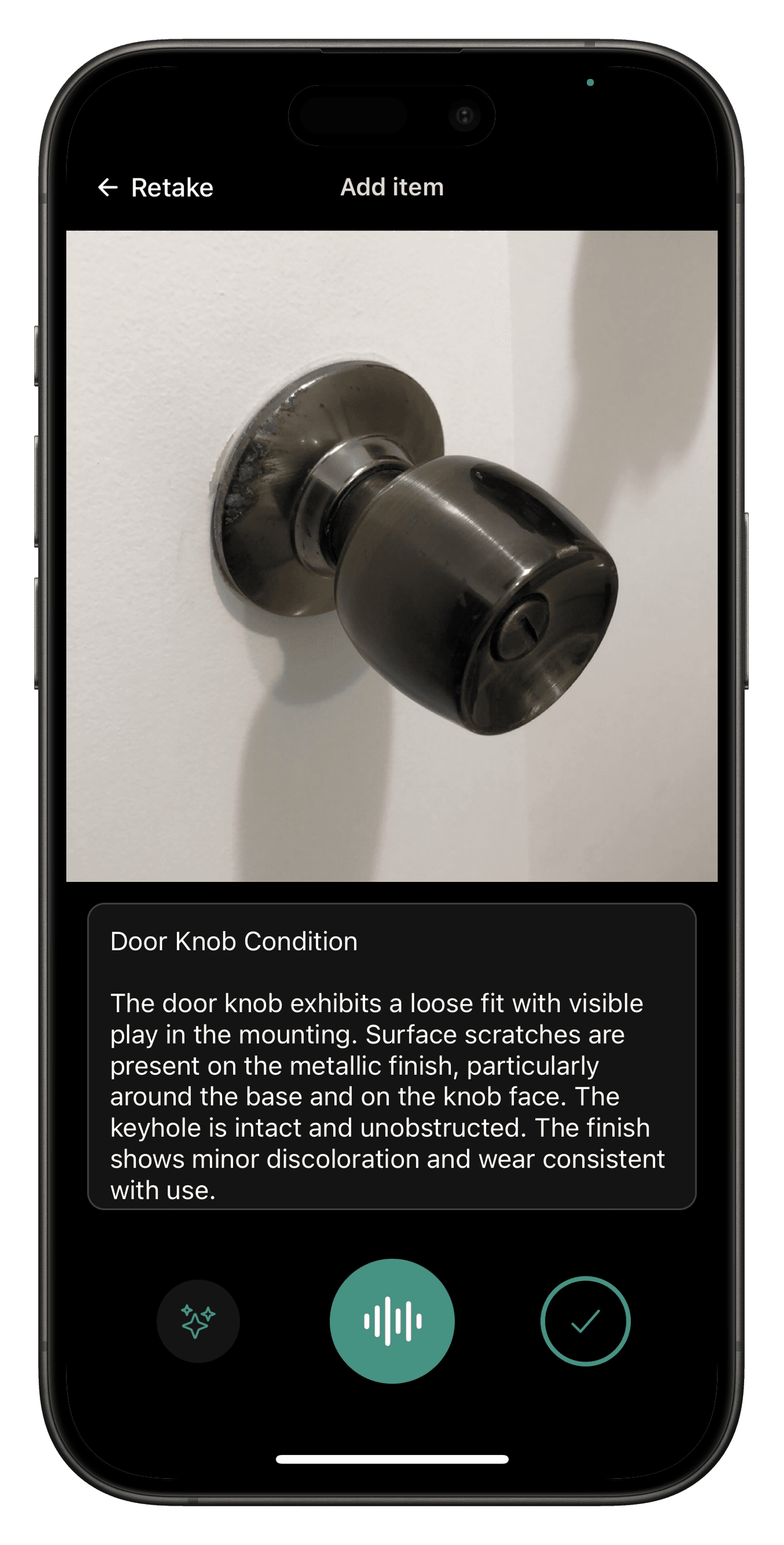
Enhanced memo
Completed inspection
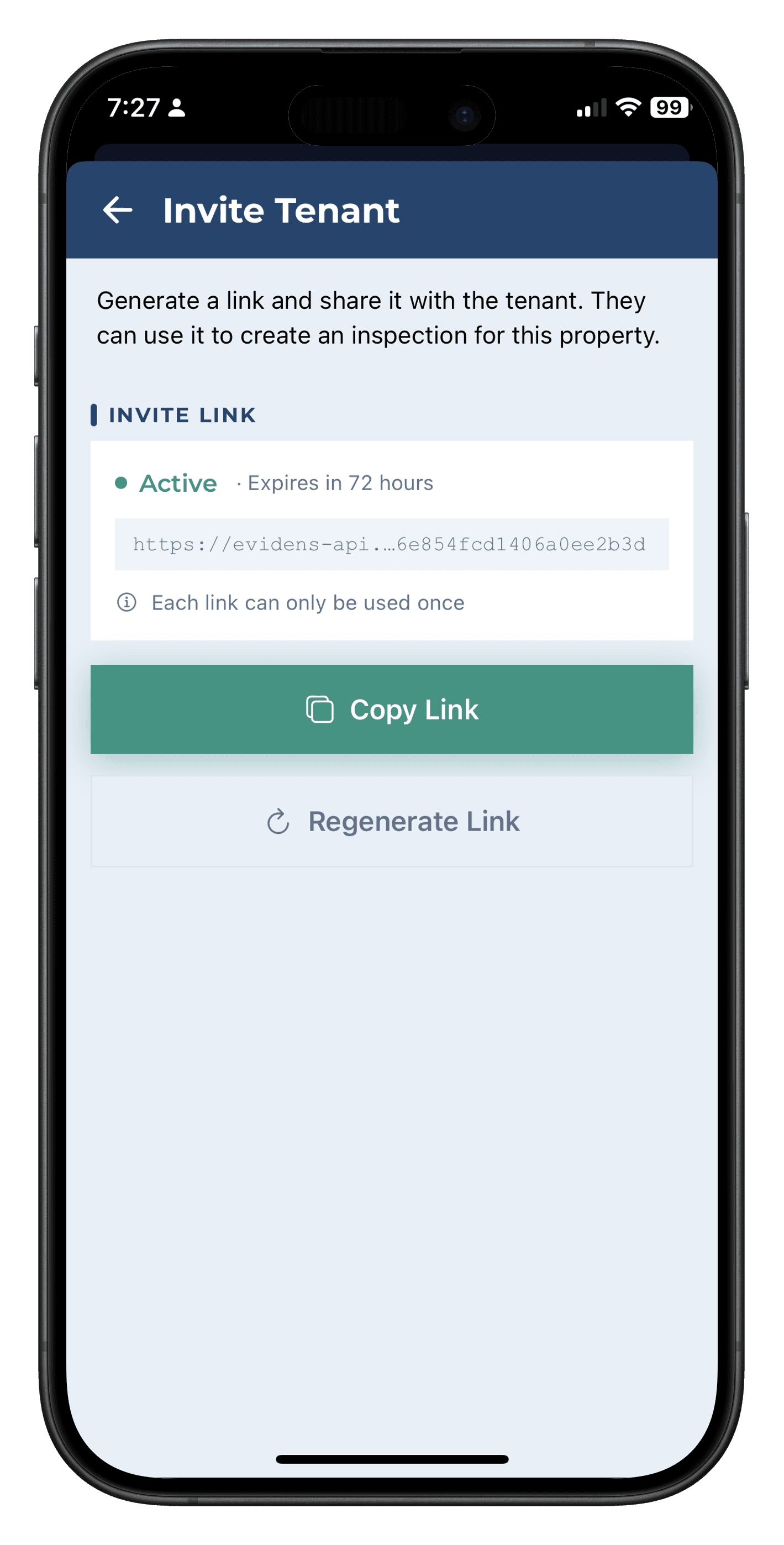
Invite tenant
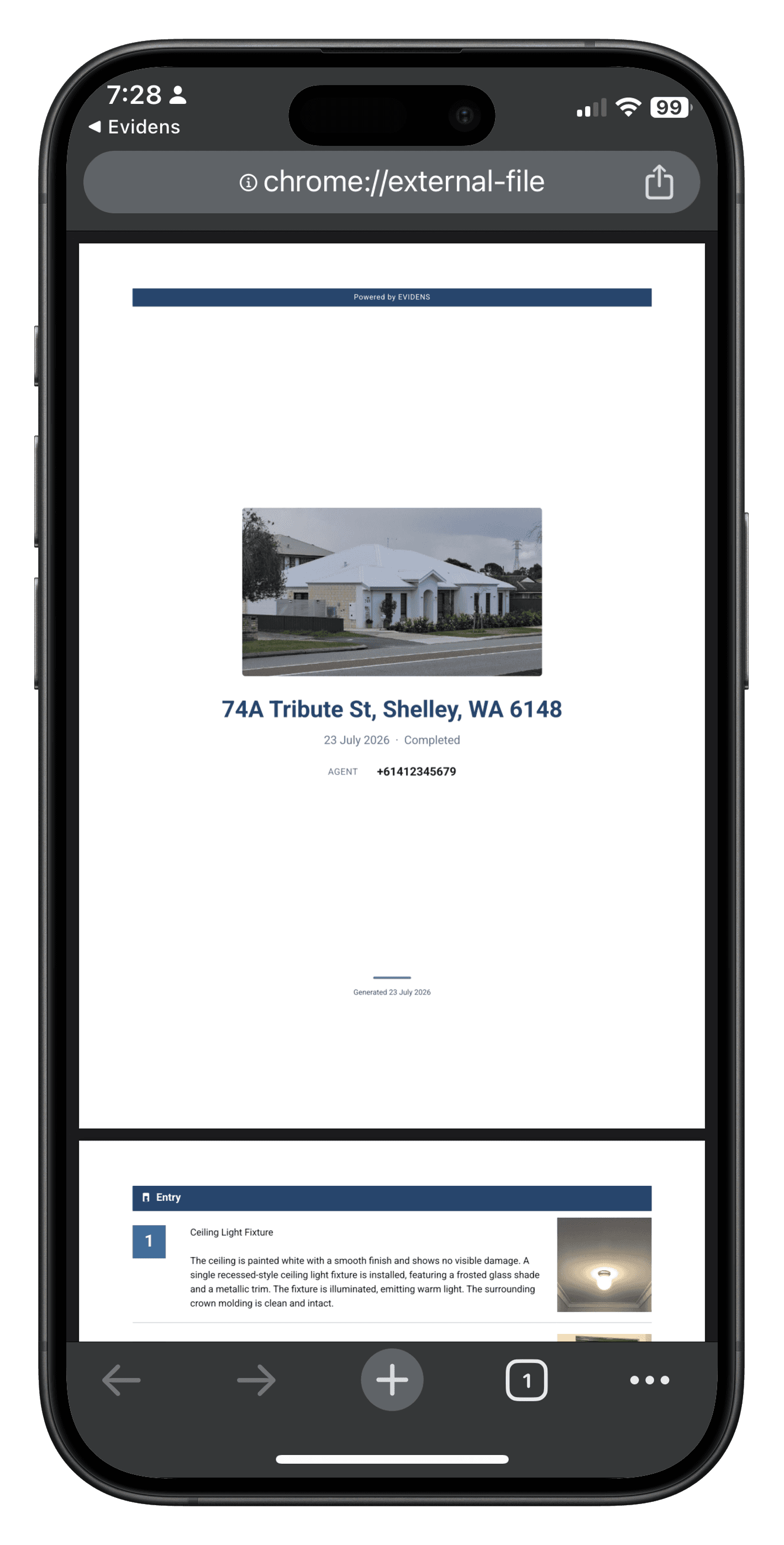
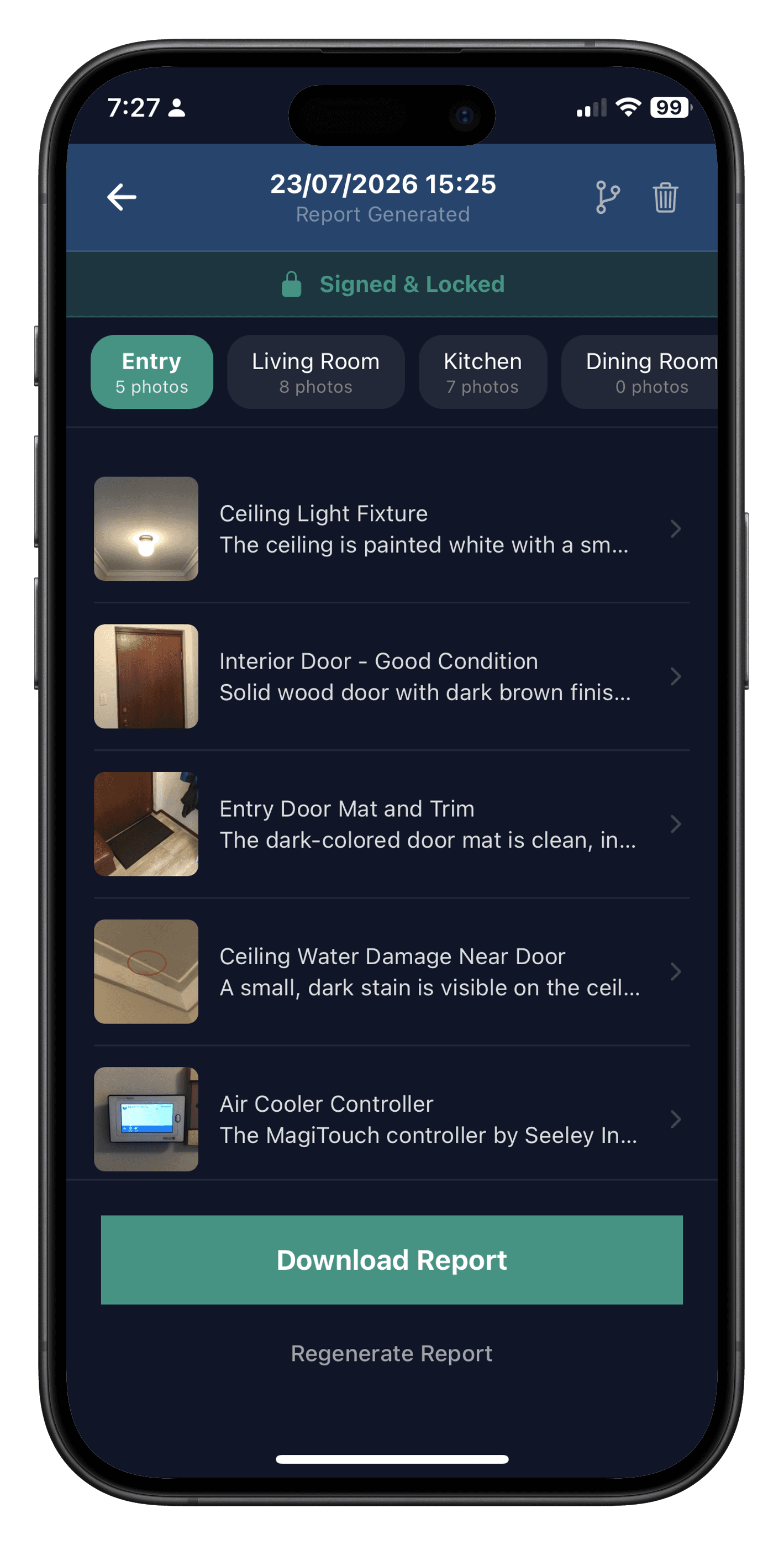
Generated report
Walkthrough
How it works
From first photo to signed report, the whole process runs inside one app.
Walk the property, capture as you go
Take photos and narrate each room out loud as you walk. No forms, no typing on-site. Just move through the property naturally and let the app keep up with you.
- Native camera with instant upload
- Voice or text description per item
- Photo annotation for damage
AI transcribes and polishes every detail
Evidens converts your voice notes into written descriptions. On any item, tap the enhance button and AI uses the photo, the room context, and your existing description to generate a clearer, more professional version. Edit the result before moving on.
- Voice-to-text transcription
- AI photo descriptions
- Full edit control
Both parties confirm the condition
At move-in, the agent or owner sends the tenant a link. The tenant creates their own condition report room by room, with the previous report shown alongside as reference. At move-out, the agent or owner does the inspection and flags differences against the move-in report. If the tenant agrees, both parties sign and the report is generated.
- Invite via link, no account setup required
- Previous report shown as reference at move-in
- Agent or owner flags differences at move-out, tenant agrees and signs
One tap to a signed PDF report
Generate a professionally formatted inspection report grouped by room. The owner or their agent signs alongside the tenant, all inside the app. No printing, no scanning, no back-and-forth.
- Professional PDF layout
- Digital signatures from both parties
- Stored securely in the cloud, tamper-proof after signing
Also available on the web
The phone is for capturing. The web app is for everything around it, on a bigger screen.
Review before you report
Open an inspection you captured on your phone, fix a description or a maintenance flag, remove a stray photo, then generate the report. Everything is checked before it goes out.
Add properties in bulk
Upload floor plans, paste a list or import a spreadsheet. Evidens reads each floor plan for the address, type and rooms, so a whole portfolio is set up in minutes.
Reports and records at your desk
Search every inspection across your properties, filter by status or maintenance issues, and download reports from any computer.
Your team, in one place
Manage your agency, invite owners, agents and tenants, and get a notification when something needs you.
Sign in here with the same phone number you use in the app.
Pricing
Simple, pay-as-you-go pricing
Your first report is free. No subscription required. Every plan includes signed PDF reports and tenant invites.
10 Credits
10 credits
- For when one free report isn't enough
- Credits never expire
- Ideal for a landlord with one or two properties
Pay once, use anytime
Professional
Unlimited reports
- Unlimited report generation
- One flat price, however busy you get
- Best for property managers & agencies
Cancel anytime
100 Credits
100 credits
- Save 30% vs 10-credit pack
- Credits never expire
- Ideal for a steady stream of inspections
Pay once, use anytime
1 credit = 1 PDF generation. Credit packs never expire. Includes GST.
FAQ
Frequently asked questions
Quick answers before you get started. Can't find what you need? We are happy to help.
Get in touchGetting started
How easy is it to sign up?
Very easy. Sign in with Google, Apple or your phone number. There is no password to set. We only ask for your name, which is printed on your reports.
Can I use Evidens outside Australia?
Evidens starts in Australia. Australian phone numbers and addresses are fully supported, including looking up an address as you type. People in other countries can use the app by signing in with Google or Apple, but phone sign in and address lookup are not available there yet, so you type addresses in yourself.
Is there a web version?
Yes, at app.evidens.com.au. You can review inspections, add properties in bulk from floor plans and download reports. Capturing is done in the phone app.
Using the app
What kinds of reports can I make?
Entry reports for the starting condition, periodic reports that show only what changed, comparison reports for exit or handover with the earlier and current condition side by side, and a maintenance only report you can send straight to a contractor.
Does it work for commercial properties?
Yes. Commercial is a property type with default rooms for offices, reception, kitchens, storage, warehouses, plant rooms, car parks and fire and safety equipment. You can add, remove or rename rooms for each property.
What AI features does Evidens have?
Three. Description enhancement rewrites your notes into clear, professional report language, and you can edit or undo the result. Voice transcription turns a spoken note into text. Floor plan reading finds the address, property type and rooms from a floor plan image, so you can set up a property from a photo. In each case you review the result before it goes into a report.
Does it work without internet?
Yes. Capture works fully offline. Your photos and notes are saved on your phone and upload when you are back online, with a visible sync indicator. A report can be generated once everything has synced.
What if the app crashes or my phone dies mid inspection?
Your work is saved on your phone as you go. Each photo is stored the moment you take it, so a crash or a flat battery does not lose the inspection. Open the app again, find the inspection on the property and carry on where you left off. At most you lose the note you were typing for the item in front of you.
Can I review and edit before a report is made?
Yes. Open the inspection on your phone or on the web, fix descriptions and maintenance flags, remove photos you do not want, then generate the report.
Can several agents inspect one big property?
Yes. Each agent can capture their own part of the property, and you merge the inspections into one before it goes out for signing or a report is made. It has to happen before any signature or report, because those lock the inspection.
Teams and sharing
Can my whole team work together?
Yes. Create an agency and invite your team. Everyone can capture inspections, see the agency's properties and open its reports. Each person signs in with their own phone number and generates reports with their own credits or plan. There is no shared credit pool for a team yet.
Can I add my company logo to reports?
Yes. An agency admin can add the company logo, and it appears on the cover of every report for the agency's properties.
Can landlords see the reports?
Yes. Invite the owner to the property and they can sign in to read and download every report. If they would rather not sign in, download the PDF and email it to them. There are no public links, which keeps reports private.
Privacy and data
How is my data kept safe?
Only the people connected to an inspection can see it. Your sign in is stored encrypted on your phone. Once an inspection is signed, nobody can edit or delete it, and reports are never shared by a public link: a download link works for a few minutes after a signed in request.
Can I delete my account?
Yes, from the app, the web app or the delete account page on this site. Your account is removed after 30 days, and you can sign back in within that time to keep it. Inspections other people have signed stay available to them, with your details removed.
Ready to cut your report time in half?
Join owners, property managers, and tenants across Australia who complete their first report free. No credit card, no commitment.
All you need is your phone number to get started.
Download Evidens
Available on iOS and Android.


Get in touch
Questions, feedback, or partnership enquiries? We'd love to hear from you.
contact@evidens.com.au